Quick Start Guide

Welcome to your Salam Wristband

أهلاً بك في سوار آي تسبيح سلام

Five gentle steps to set up your iTasbeeh Salam Wristband (SQ968) — charge to activate, connect the app, and begin daily prayer reminders with mindful wellness tracking.

Pray on time. Stay well.
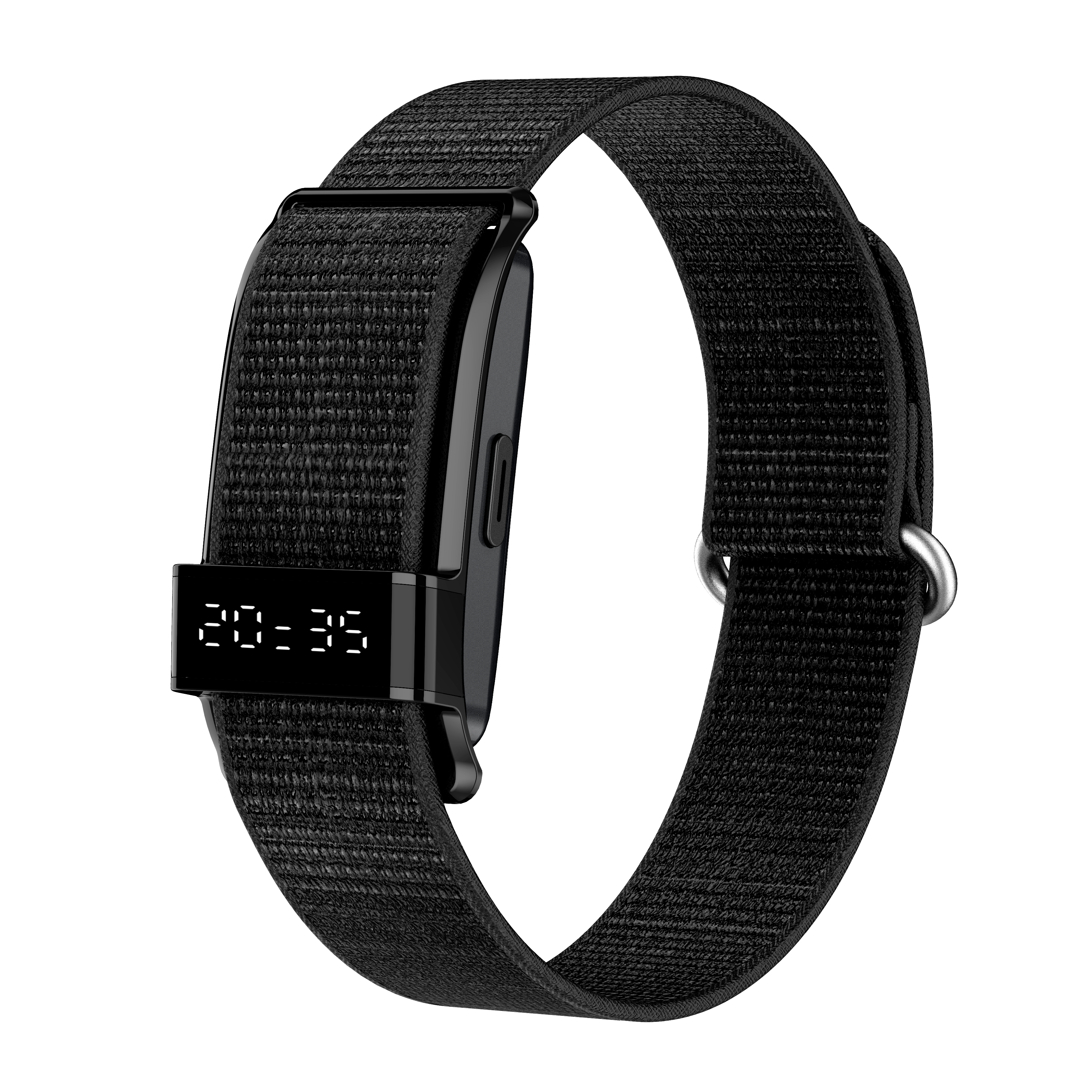
iTasbeeh Salam Wristband SQ968 in three colors
01 Unbox

Open the box, meet your companion.

Lay out everything in your Salam Wristband gift box. Each item supports your daily prayer and wellness rhythm.

  • 1 × Salam Wristband SQ968 with compact time display · Black / Soft Pink / Silver Grey
  • 1 × Magnetic Charging Cable Snaps to the magnetic charging contacts on the back of the band
  • Cards + User Manual Warranty & Authenticity Card, Thank You Card, Quick Start Card, and printed manual
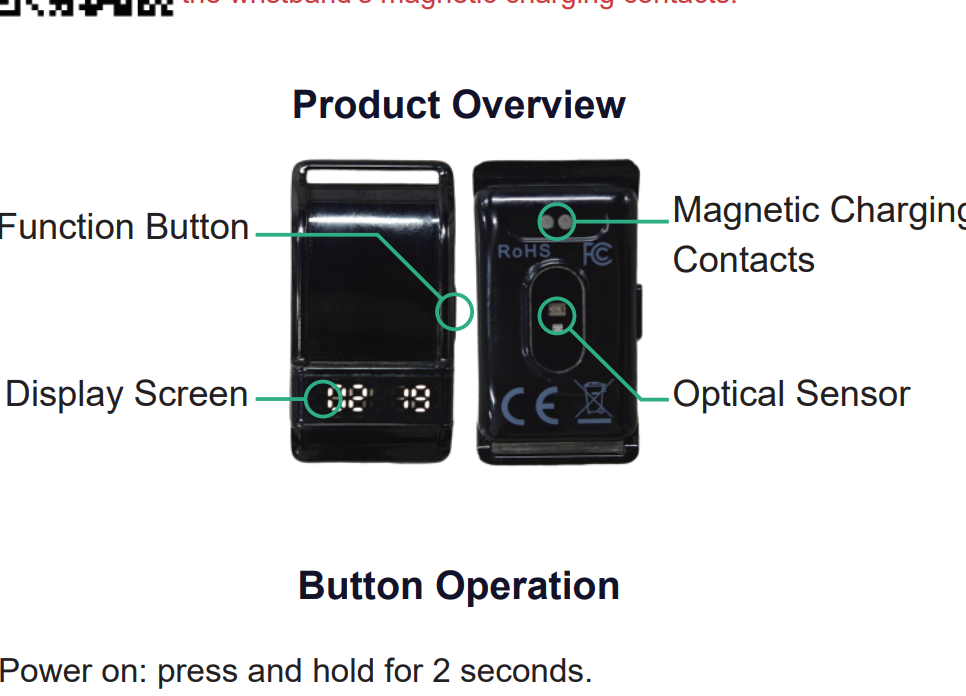
  • Product parts Display screen · Function button · Magnetic contacts · Optical sensor
1 × Salam Wristband
Model SQ968
Magnetic Cable
Magnetic snap
Cards + Manual
Warranty · Quick Start
Product parts
Display · Button · Sensor
02 Charge & Activate

Charge first, activate your band.

Before anything else, charge the wristband to activate it for the first time. After activation it powers on automatically — only then is it ready to use.

First use: charge to activate SQ968 must be charged once to activate. Place the magnetic cable on the charging contacts. When activation completes, the wristband powers on automatically. Do not skip this step — the band cannot be used until it has been charged and activated.
Dry the contacts before charging Before charging, check and dry any water or stains on the wristband’s magnetic charging contacts.
  • Attach the magnetic charger Align the magnetic charging cable with the contacts on the back of the module until it snaps into place.
  • Wait for activation & auto power-on Keep charging until the band activates. It will then power on automatically. For the smoothest first setup, allow a fuller charge before pairing.
  • Later power on / off After activation: press and hold the function button for 2 seconds to power on. To power off, navigate to OFF, then press and hold for 3 seconds.
SQ968 and its magnetic charging contacts
03 Download App

Get the iTasbeeh Salam App.

Download the iTasbeeh App from the buttons below. Use it for prayer reminders, dhikr tasks, Qibla, and wellness trends such as heart rate, sleep and activity.

iTasbeeh Salam App device screen
04 Pair Band

Connect SQ968 to the app.

Pairing takes less than a minute after the wristband is activated and powered on. SQ968 uses Bluetooth Low Energy for a secure link to your phone.

  • Enable Bluetooth & location Turn on Bluetooth and allow the app’s Bluetooth and location permissions for prayer times and device discovery.
  • Open the app & sign in Create your iTasbeeh account with email, Apple ID, or Google. It only takes seconds.
  • Select SQ968 Keep the wristband close to your phone. On the device connection page, select SQ968 to pair.
  • Sync prayer & health data Allow location access so prayer times and health data can synchronize automatically.
Pairing…
SQ968 Wristband
Searching…
Connect
05 Start Using

One button, daily presence.

Wear the band comfortably on your wrist. Use the function button to browse screens, count dhikr, and receive silent prayer vibration reminders.

  • Browse the screen menu From the time screen, press repeatedly to view Steps → Heart Rate → Blood Oxygen → Sleep → Battery → OFF.
  • Dhikr counter Enter the counter screen and press the button once for each count. The band can vibrate at 33, 66, 99 or 100, depending on App settings.
  • Silent prayer reminders Receive vibration reminders for the five daily prayers. Each reminder can be enabled or disabled in the App — no sound, no distraction.
  • Health monitoring reference View heart rate, SpO2, sleep, HRV, steps, stress and daily health score in the App — for daily wellness reference only. Not a medical device.
33
Today's Dhikr
سُبْحَانَ ٱللَّٰه
Press the function button once per count
See it in action

A quick hands-on walkthrough.

A product demo to help you charge, activate, wear and use your Salam Wristband with confidence.

Pro Tips

Live your best Salam rhythm.

Designed for daily wear

Comfortable for everyday prayer reminders and gentle wellness tracking. Avoid hot water, saunas, steam rooms, diving and high-pressure water.

Get a comfortable fit

Wear the band snug but not tight. A proper fit improves comfort and wellness readings from the optical sensor.

Dhikr works offline

Basic dhikr counting works without internet. Prayer sync, Qibla, cloud trends and firmware updates may need the app, location, Bluetooth or internet.

Up to 15 days battery

Designed for fewer charges in daily use, travel and Ramadan routines. Actual battery life varies by reminder frequency, display use and settings.

Frequently asked

Quick answers.

For first use, charge the wristband to activate it — it then powers on automatically.
Make sure the wristband is activated, charged and powered on.
Follow the clear-count confirmation in counting mode.
Navigate to OFF, then press and hold for 3 seconds.
Basic time display and on-band counting can work after activation.
No. SQ968 provides silent prayer time vibration reminders only.
Up to about 15 days on a full charge.
Basic on-band use does not require internet.
Scan the Warranty & Authenticity QR code on the card in the box.
No. Wellness data is for reference only and is not intended for medical diagnosis.
Need a hand?

We're here, every step of the way.

Our team responds within one business day — whether you need setup help, activation tips, or have a question about SQ968.